Field Service Management Metrics: 15 KPIs With Exact Formulas, 2026 Benchmarks, and the Traps in Each


Suppose two branch managers at the same contractor both report an 85% first-time fix rate for the quarter. The operations director is pleased.
Then someone looks closer. The first branch counts a job as "fixed first time" if the technician completed the diagnostic visit, even when the actual repair needed a second trip with a quoted part. The second branch counts only jobs where the fault was gone after one visit. Measured the same way, the first branch is at about 70%.
Neither manager was lying. They just never agreed what the number meant.
You'll find plenty of lists of field service KPIs online, most with a formula next to each one. The trouble starts when you apply them to real jobs, because plenty of jobs don't fit neatly. Does a remote fix count? Is a planned second visit a failure? Below are 15 metrics with those edge cases and decisions spelled out. Where a reliable benchmark exists, we've included it, along with a paired metric that keeps the number honest.
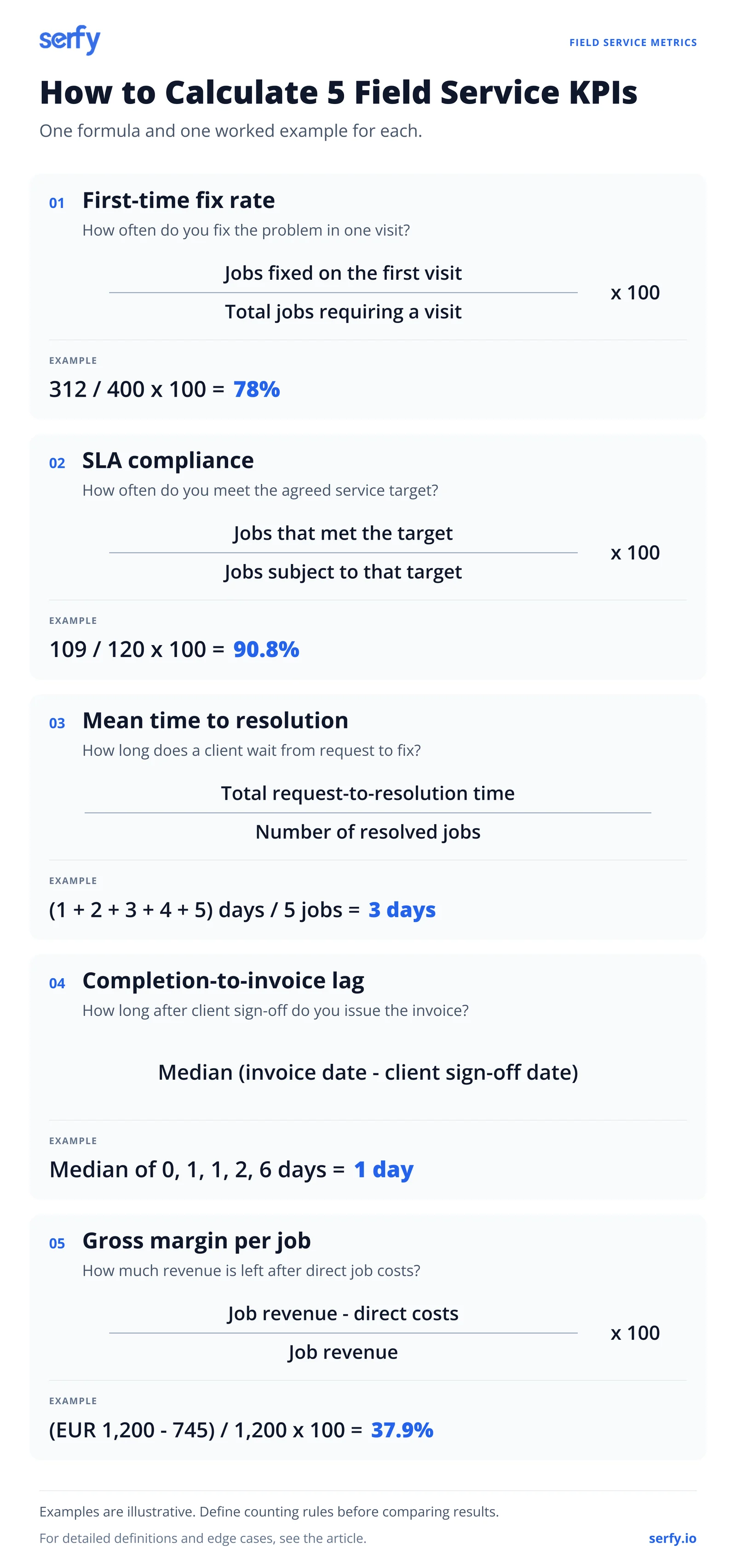
Start with these five
Fifteen metrics is too many to start with. If you're not tracking anything consistently yet, begin with five, one for each thing a commercial service business has to get right:
| Metric | What it tells you |
|---|---|
| First-time fix rate | Whether jobs are prepared properly (quality) |
| SLA compliance | Whether you're keeping your contractual promises |
| Mean time to resolution | How long clients wait for a fix (speed) |
| Completion-to-invoice lag | How quickly finished work turns into cash |
| Gross margin per job | Whether the work makes money |
The other ten are diagnostic. You look at them when one of the five moves and you need to know why. Travel time explains a drop in utilization. Parts problems explain a drop in first-time fix. A rising backlog explains slipping SLA compliance.
Five numbers with clear definitions and honest data are worth more than twenty that nobody trusts.
How the metrics connect
The ultimate objective of keeping track of operational metrics is to see how they affect your bottom line at the end of the quarter. They typically affect your finances in one of three ways:
- How much it costs to deliver the work
- How much of the revenue you keep
- How quickly you get paid
Cost to serve is highlighted because it's where the largest losses usually sit. In Aquant's 2026 benchmark, visits that failed to resolve the problem accounted for 25% of total service cost at the median organization, and 44% for the bottom fifth. First-time fix rate looks like a quality score, but it's also one of the biggest cost lines in the business.
Customer and contract metrics
1. First-time fix rate (FTFR)
The share of jobs resolved on the first visit, with no return trip for the same problem.
Counting decisions to make:
- Remote fixes: Exclude them. No visit, so no first visit.
- Planned multi-stage work: A multi-day installation job (for example, planned to complete across three visits) doesn't count as a failed fix. You can either exclude it, or count it as one job.
- Diagnose-then-quote jobs: Lots of arguments surrounding this. If a technician diagnoses a fault and the repair needs a quoted part and a second visit, most teams should count that as not fixed first time since from the client's side, it wasn't. If you decide otherwise, write it down.
- The repeat window: Define "same problem" as the same asset and the same fault within a set period. Thirty days is common.
- Client-caused failures: If the technician couldn't get access, record it with its own reason code. Whether it counts against FTFR is your call, but be consistent.
What moves it: parts availability, matching skills to jobs, the quality of the original request, and whether the technician had the asset's history. Our guide to field service management best practices covers each of these.
2. SLA compliance
The share of jobs that met their contractual targets. Measure response and resolution separately, and per priority level. A single blended "SLA %" hides more than it shows.
Counting decisions to make:
- When the clock starts: Request received, request acknowledged, or the time the client logged it in their own system. These can be hours apart overnight.
- Whether it pauses: For example while you wait for site access or client approval. Pausing is reasonable if the contract allows it.
- What counts as "responded": A call back from a technician, or someone physically on site.
- Business hours or 24/7: Per priority level.
- Reclassified jobs: If a P1 is downgraded to P3 after triage, which target applies?
Many commercial contracts require a monthly or quarterly SLA report. NEWSEC, which manages commercial office properties, cut the time to produce its SLA reports from three days of manual compilation to a single click once the data came straight from completed work orders.
3. Mean time to resolution (MTTR)
How long, on average, a client waits from reporting a problem to having it fixed.
MTTR is used for two different measures:
- Mean time to repair is the hands-on work, usually in hours.
- Mean time to resolution is the full wait, usually counted in days.
Use the full name on your dashboard, and check which one a benchmark means before you compare against it.
Counting decisions to make: working days or calendar days, and whether planned work is included. Report the median as well as the mean. A few jobs stuck for weeks waiting on parts will push the average up, even if most clients were sorted in a day or two.
4. Repeat visit rate
The share of jobs that needed another visit for the same problem. You can think of it as the mirror image of first-time fix rate. This metric is worth tracking separately because it catches problems that FTFR misses, such as a fix that worked for two weeks and then failed.
Use the same X as your FTFR definition.
5. Customer satisfaction (CSAT or NPS)
Keep it short: two or three questions after each job, or a quarterly check-in per client. Send it to whoever manages the contract on the client's side, usually the facility manager. Their opinion is the one that shows up in renewal decisions.
Expect few replies. With a small sample, one unhappy client can swing the score, so read the comments as well as the number. That's usually where you find out what actually went wrong.
Workforce metrics
6. Technician utilization
The share of paid time technicians spend on billable work.
The counting decisions here are mostly about what "billable" means. Is travel billable? Under some contracts yes, under others it's absorbed into the rate. Training, toolbox talks, vehicle checks and admin are usually non-billable, but write that down too.
There's no reliable public benchmark for commercial technician utilization, and you should be suspicious of articles that quote one without a source. Your own trend over time, and the spread between your technicians, are more useful.
7. Wrench time
The share of a technician's shift spent doing the actual work on site, as opposed to traveling, waiting, looking for parts, or doing paperwork.
It's a useful check on utilization, because a technician can be fully billed and still spend a lot of the day not working on equipment. Salesforce's survey found technicians spend about 30% of their working hours on admin and information gathering, slightly more than the 28% they spend actually performing the service.
8. Travel time ratio
The simplest of the lot, and one of the most revealing for teams covering a wide area or doing a lot of reactive work. If it's rising, look at how jobs are being grouped geographically. Our guide to route optimization goes into the methods.
9. Schedule adherence
The share of scheduled jobs that started within their planned time window.
Define the window (for example, an hour either side of the planned start).
Technicians in the Salesforce survey estimated that 47% of their appointments don't go to schedule, so if yours is low, you're not unusual. That said, it's still worth knowing why. Customer access, missing parts and overruns on the previous job have different fixes.
10. Jobs per technician per day
This one's easy to calculate and just as easy to misread. A technician who does four quarterly filter changes in one building logs four jobs. Another spends the whole day on a chiller overhaul and logs a grand total of one. He's done nothing wrong, but on this metric he looks "inefficient".
If you use it, compare like with like: the same job types, the same trade, ideally the same region. Published "jobs per day" ranges mostly come from residential trades and don't transfer well to commercial maintenance.
Operational metrics
11. Preventive maintenance compliance
The share of planned maintenance visits completed within their due window.
When reactive work keeps pushing planned visits back, nothing breaks right away, so nobody complains. PM compliance is the number that shows it.
Set the due window per task: two weeks either side might be fine for a quarterly filter change, while a statutory inspection may have no flexibility. Our preventive maintenance checklists cover what each visit should include, and automated PM scheduling makes sure the jobs exist to begin with.
12. Avoidable dispatch rate
The share of dispatched jobs that didn't need a visit: a fault that could have been fixed over the phone, a "no fault found", or a request that should have been handled by the client's own staff.
Aquant's 2026 benchmark estimates that about one case in five could be resolved remotely. Measuring this requires technicians to classify jobs honestly at close-out, which they'll only do if the number is used to improve triage. Use it to blame whoever took the call and the data dries up.
13. Backlog by age
Not a ratio, just a count of open jobs grouped by how long they've been open: 0–2 days, 3–7 days, 8–30 days, over 30 days. Split it by priority.
It's the quickest way to see whether you're keeping up. A stable backlog with most jobs in the first bucket is healthy. A growing pile in the 8–30 day bucket means work is coming in faster than it's going out, or that something is stuck. Check the on-hold reasons for those jobs first.
Financial metrics
14. Completion-to-invoice lag
The time between a job being finished and signed off and the invoice going out.
Use the median, because a few disputed invoices will distort an average. And measure from sign-off, not from the technician marking the job complete, otherwise you're mixing two different delays.
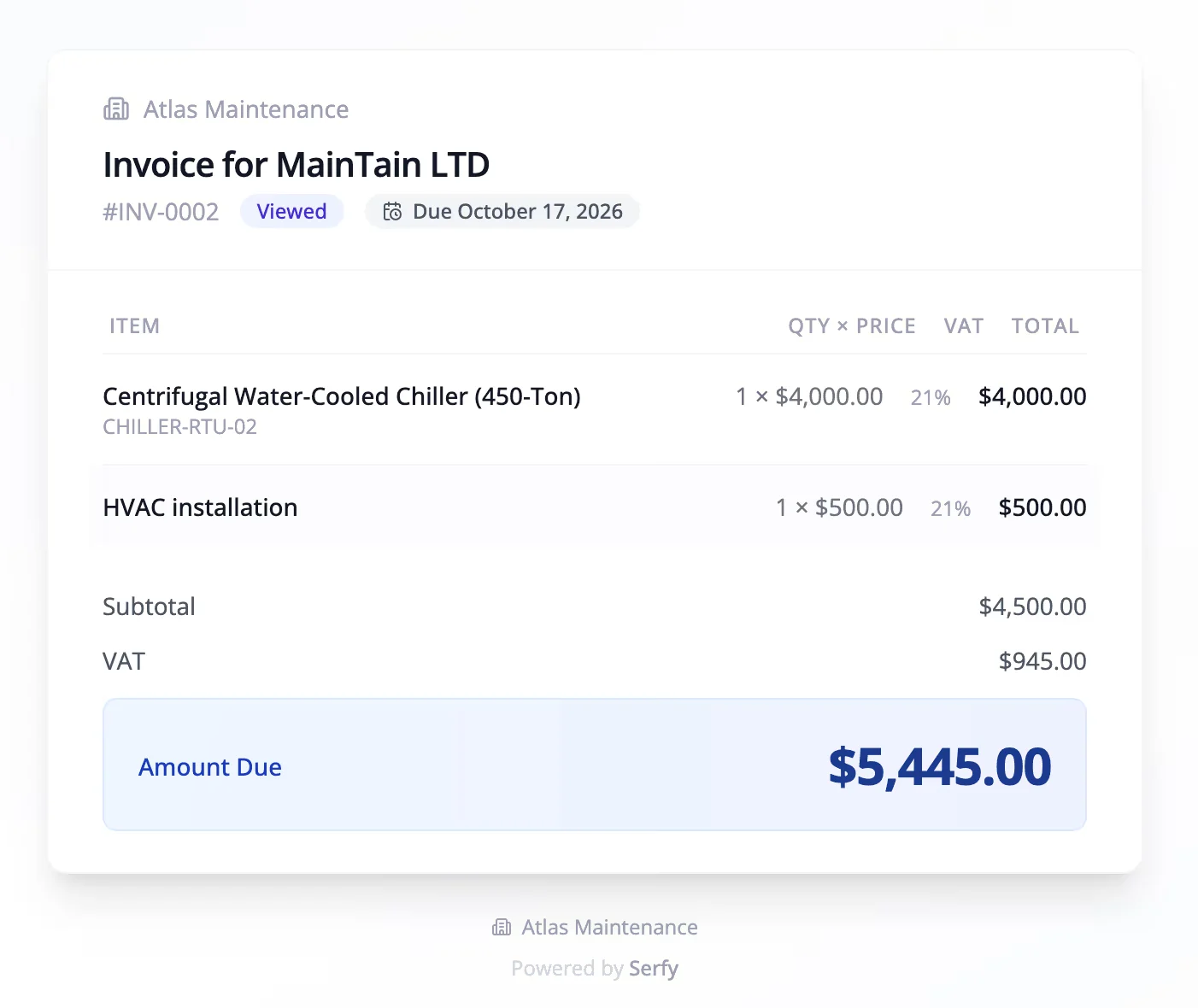
This gets far less attention than it deserves. It feeds directly into days sales outstanding and cash flow, and it's often the easiest metric on this list to improve, because the delay is administrative. For teams on paper, the lag is driven by service sheets traveling back to the office and being retyped. Caverion Baltics brought its invoice compilation from about two days to real time once invoices were generated directly from signed mobile work orders.
15. Gross margin per job and per contract
What's left of the revenue from a job after its direct costs.
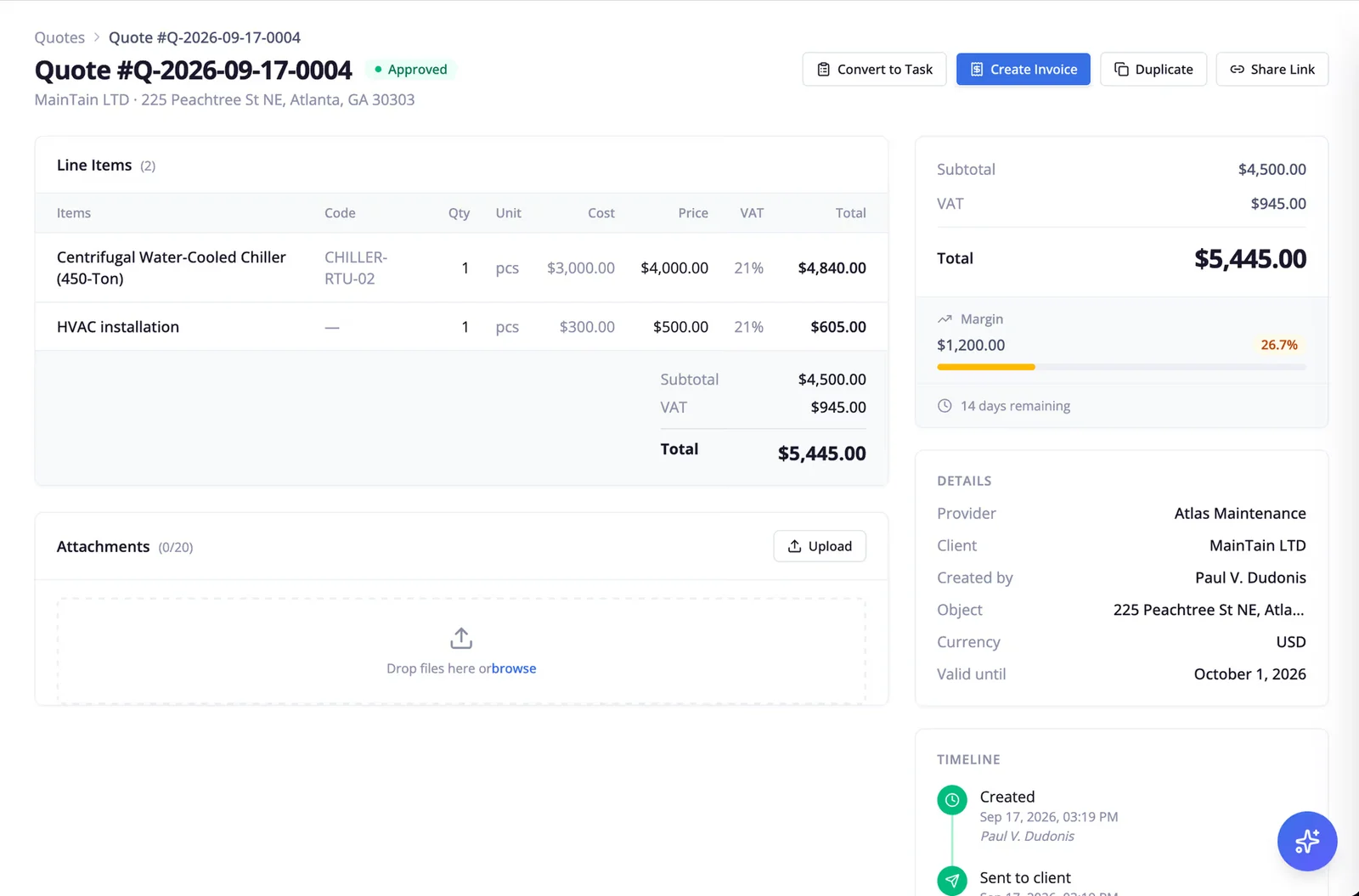
Direct costs means labor at a fully loaded hourly rate (wages plus employer costs, vehicle and tools), travel time, parts at cost, subcontractor charges, and the cost of any return visit.
Margin per job tells you about pricing and efficiency. Margin per contract tells you which clients are worth keeping. A fixed-price maintenance contract with a client who calls for every minor fault can look healthy on revenue and lose money once every callout is costed.
Our guide to calculating job costs and the job costing template go through the method in detail, and live job costing in an FSM platform can compare estimated and actual cost while the job is still open.
Metric pairs that stop gaming
Any single metric can be improved by making something else worse. People rarely do this cynically. Usually they're just responding sensibly to what they're measured on. Pairing each headline metric with one that would suffer if it were gamed keeps the picture honest.
| If you push | It can be gamed by | So also watch |
|---|---|---|
| First-time fix rate | Closing the job and opening a new one for the return visit | Repeat visit rate on the same asset within 30 days |
| SLA response time | Sending whoever is closest, prepared or not | First-time fix rate |
| Mean time to resolution | Quick fixes that don't last | Repeat visit rate |
| Utilization | Overloading schedules | Overtime, schedule adherence, staff turnover |
| Jobs per technician per day | Picking the quick jobs | Repeat visit rate, job mix |
| Completion-to-invoice lag | Invoicing before the client has signed off | Invoice dispute rate |
| Avoidable dispatch rate | Refusing to send anyone | SLA compliance, client complaints |
If you only have room on a dashboard for one pair, make it first-time fix rate and repeat visit rate. Between them they show both whether jobs are prepared properly and whether the fixes hold.
How to start measuring without a data team
Every metric in this guide comes from a small number of data points on each work order. Get these recorded reliably and the rest is arithmetic:
- Timestamps for request received, acknowledged, scheduled, technician arrived, work completed, client signed off, invoiced
- Priority level and the SLA targets that applied
- The asset and the fault
- A reason code whenever a job goes on hold or needs a return visit
- Hours (labor and travel), parts used and any subcontractor costs
The status model in our field service workflow guide shows how those timestamps map onto a job's life.
If you're on paper or spreadsheets, don't try to capture everything for every job straight away. Pick one job type, log these fields by hand for a month, and calculate the starter five. That month will tell you which of the five needs attention first.
Write the counting rules down before you publish the first report, especially for anything a client will see. Agree SLA definitions with each client in writing; it saves an argument at the first quarterly review.
Then set a rhythm for looking at the numbers:
| How often | Who | What |
|---|---|---|
| Daily | Dispatch, service manager | Open emergencies, jobs at risk of breaching SLA |
| Weekly | Service manager, team leads | First-time fix rate, repeat visits, schedule adherence, backlog by age |
| Monthly | Operations and finance | Margin by job type and contract, completion-to-invoice lag, PM compliance, utilization |
| Quarterly | Account managers, with each key client | SLA performance, recurring faults, recommendations |
Once your work orders carry timestamps and reason codes, most FSM platforms can produce these reports and dashboards without anyone building a spreadsheet at month-end.
A note on benchmarks
Most of the benchmarks in this guide come from Aquant's 2026 Field Service KPI Benchmark, which analyzed close to 30 million service events across 161 organizations. It's the largest recent dataset available, but its sample leans toward equipment manufacturers, medical device companies and other asset-heavy businesses. A commercial building services contractor, an elevator maintenance company and a fire protection firm will each sit differently against it.
Treat external benchmarks as a rough sense of scale. The comparisons that will actually change decisions are internal: this quarter against last, your best branch against your worst, your top technicians against the rest, your most profitable client against your least. Those are gaps you can do something about.
FAQ
What are the most important field service KPIs?
For commercial service teams: first-time fix rate, SLA compliance, mean time to resolution, completion-to-invoice lag and gross margin per job. Together they cover quality, contractual performance, speed, cash and profit. Everything else helps explain why one of those five changed.
What is a good first-time fix rate?
Aquant's 2026 benchmark puts the industry figure at 77%, with top performers at 88%. Your own target depends on how complex your equipment is and how you define a first-time fix, so set the definition first and then compare against your own history.
How do you calculate SLA compliance?
Divide the number of jobs that met their target by the number of jobs subject to that target, and multiply by 100. Calculate response and resolution separately, per priority level, and agree with each client exactly when the clock starts and whether it can pause.
What's the difference between mean time to repair and mean time to resolution?
Mean time to repair usually measures hands-on repair time, in hours. Mean time to resolution measures the client's whole wait, from reporting the problem to having it fixed, often in days. Both are abbreviated MTTR, so label which one you mean.
How many KPIs should a field service team track?
Start with five. Add diagnostic metrics only when you need them to explain a change in one of the five.
How should field service metrics be reported to clients?
Most commercial clients care about SLA compliance by priority level, response and resolution times, recurring faults on their assets, and planned maintenance completed on time. A short monthly or quarterly report with those figures, generated straight from work order data, is usually enough.

Founder & Global CEO of Serfy. A software engineer by background, Povilas has spent over a decade architecting mission-critical field service workflows, 100% offline SQLite mobile engines, and automated billing pipelines powering 2.7M+ completed work orders across Europe.